





Why us?

Behind every great website is a
great team
.

We have built 150+ websites for marketers and global brands.

Services
Technologies
About us

Why us?

Behind every great website is a
great team
.

We have built 150+ websites for marketers and global brands.

All technologies

Sanity website development

Content your team can manage. A structure you can grow.

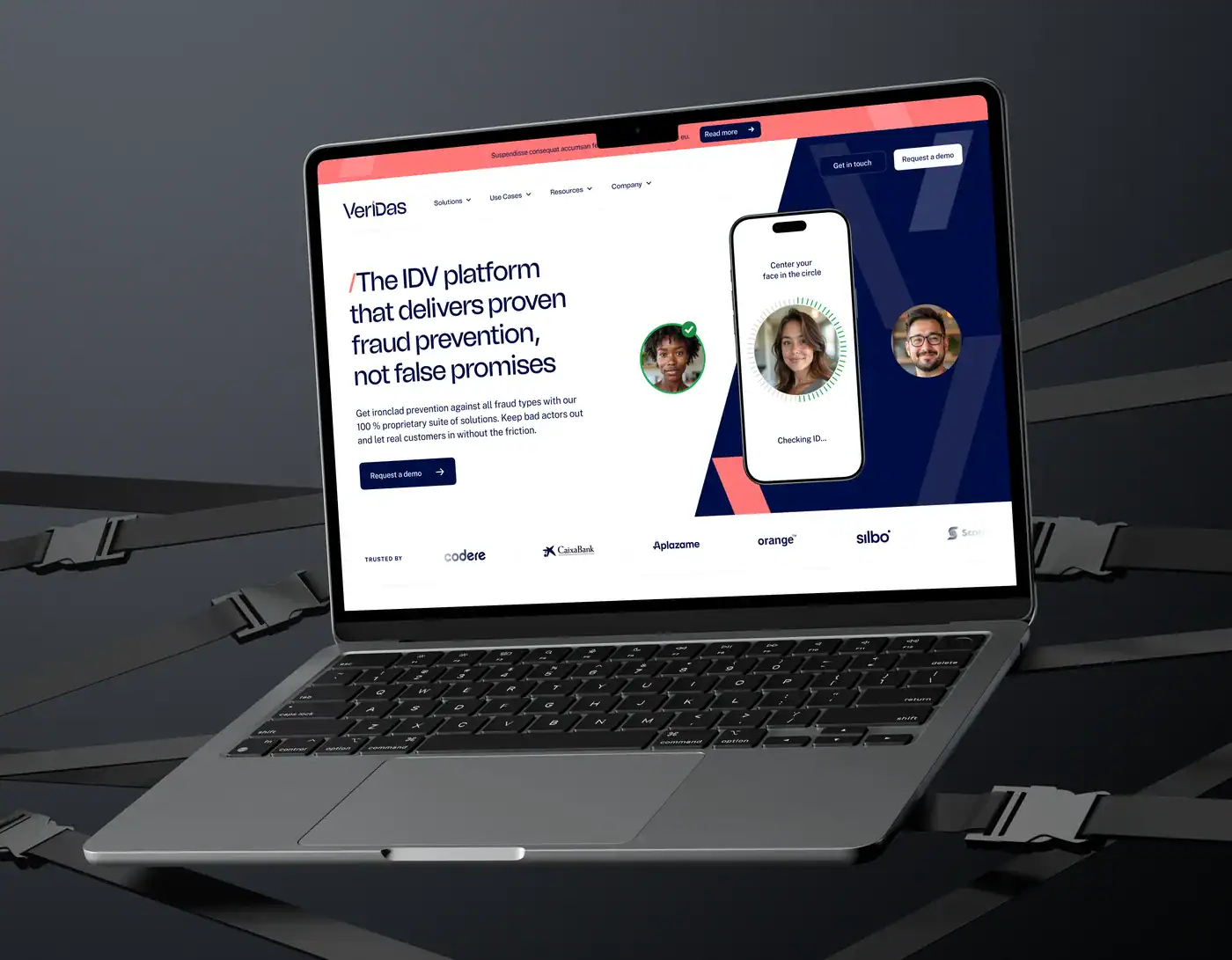
From our portfolio: Veridas · WordPress + Elementor.

Give your content a better home. We set up Sanity around the way your team writes, reviews and publishes, then connect it to a marketing website built for your buyers.

Trusted by teams across the US and EU

Bloomreach
Vacuumlabs
Staffino

And more

Webgate agency in numbers

20+

Long-term client partnerships built on trust.

5.0

Rated by our clients on Clutch.

Since 2017

Experienced web specialists. Today, powered by AI-native workflows.

Millions

In client revenue supported by websites built to convert.

Sound familiar?

Your content should be easier to work with.

The same information lives in too many places

Repeated product details, customer stories and calls to action are difficult to keep aligned. We model content so shared information can be maintained once and reused where it belongs.

Editors are working around the CMS

Confusing fields and unclear previews slow down publishing. We shape the Studio around the content your team creates, with useful labels, validation and a clear view of the result.

The website structure limits the content

When content is tied too closely to individual pages, change gets harder. We separate the content model from the frontend and plan how they work together as the website grows.

How we help

A Sanity setup built around real editorial work.

01

Content modeling

Define documents, fields and relationships around your business, so content has a clear structure and purpose.

02

Custom Studio setup

Organize the editing interface with understandable labels, validation and navigation for the people using it.

03

Website integration

Connect Sanity to a frontend such as Next.js or Astro, with reusable content-driven components.

04

Previews and publishing workflows

Set up draft previews and agree how reviews, publishing and permissions work within your chosen plan.

05

Content migration

Map existing content into the new model, prepare imports and check relationships, media and page output.

06

Training and ongoing improvements

Hand over the editorial workflow and documentation, with support for future schema and website changes.

Selected Webgate work

Website work from across our portfolio.

Explore our wider website portfolio. Each project shows the technology we used and the work we delivered.

Socksfor1 website project by Webgate

#Custom development #API integration

Socksfor1 — A custom website connected to creator content.

Technology used

React, Gatsby, Contentful

What we did

Custom website design and development

Project highlights

Contentful connected for content editing.
YouTube API integration.
Custom design and lead-generation strategy.

Bloomreach website project by Webgate

#CMS migration #Enterprise website

Bloomreach — A large website, built for a more independent team.

Bloomreach ↗
3 languages

Technology used

WordPress, Elementor

What we did

Migration, reusable components and website improvements

Project highlights

1,200+ pages in a multilingual website.
Migration from a custom Java CMS.
40+ templates and 50+ reusable components.

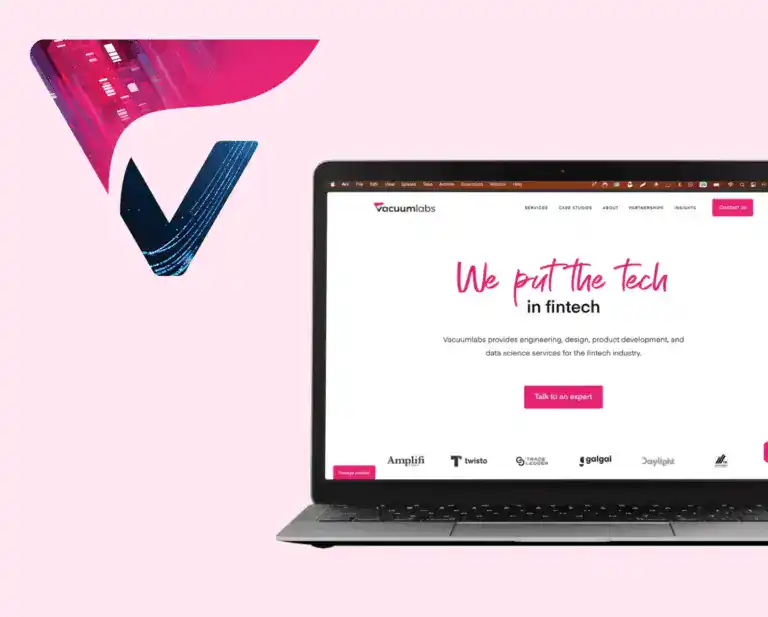
Vacuumlabs website shown on a laptop

#B2B website #Ongoing support

Vacuumlabs — Website delivery and support for a busy marketing team.

Technology used

WordPress, Elementor

What we did

Website improvements, integrations and support

Project highlights

140+ pages improved.
HubSpot, Workable and Pipedrive integrations.
Analytics setup and ongoing marketing support.

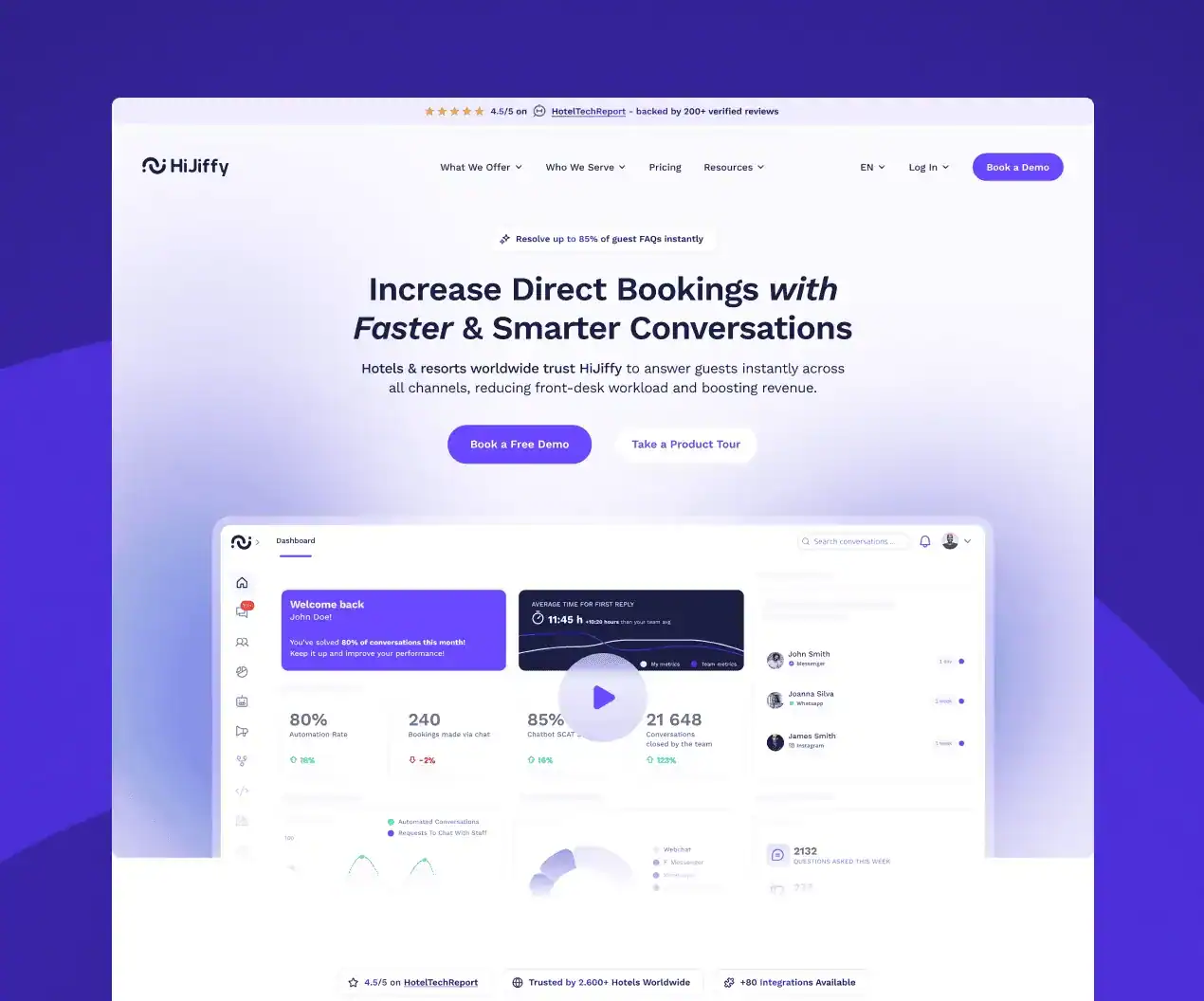
HiJiffy website project by Webgate

#SaaS #Website redesign

HiJiffy — A clearer website for a growing SaaS business.

HiJiffy ↗
Portugal Portugal

Technology used

WordPress, Elementor

What we did

Redesign and website cleanup

Project highlights

Clearer page structure and navigation.
Reusable landing pages for marketing campaigns.
WordPress and Elementor cleanup.

Veridas website project by Webgate

#SaaS #Multilingual website

Veridas — A complex multilingual website, made easier to manage.

Technology used

WordPress, Elementor

What we did

Redesign, performance and ongoing care

Project highlights

300+ pages across four languages.
Plugin count reduced from 58 to 39.
Ongoing performance work and website support.

Powerful Medical website project by Webgate

#CMS migration #CRM integration

Powerful Medical — A more manageable website with connected lead capture.

Technology used

WordPress, Elementor, HubSpot

What we did

CMS migration, responsive design and integrations

Project highlights

Marketing website moved to WordPress.
Mobile-first design and performance improvements.
Custom HubSpot forms connected to the CRM.

Tell us what your website needs next.

Talk about your website ↗

What this means for your team

Make the content system fit the people using it.

Reduce repeated updates

Use shared references where the same content belongs in multiple places, keeping related information aligned.

Give editors a clearer workspace

Organize fields and navigation around your content, with guidance that makes each task easier to understand.

See changes in context

Review drafts through the connected website preview before publishing the agreed content.

Keep design and content connected

Use defined components and content fields to give editors flexibility within a consistent website system.

Prepare content for new uses

Structure information so it can serve additional pages or channels when those connections are planned.

Keep future changes manageable

Document the model and integrations so adding new content types is a deliberate, supported change.

Inside our Sanity CMS process

From scattered content to a clear publishing system.

Content and workflow review

01

Understand what your team publishes.

We review the existing content, editorial tasks and website requirements. The aim is to understand what needs its own structure, what can be shared and where the current workflow slows down.

Key steps

  • Content inventory and sources

  • Editor roles and review needs

  • Reuse and language requirements

  • Frontend and integration needs

Deliverables

Content audit Workflow map Agreed scope

Content modeling

02

Give each piece of content a clear place.

We define the documents, fields and relationships around your business. Real content examples help us check that the model is understandable and useful before it becomes the editing interface.

Key steps

  • Document types and fields

  • References and reusable content

  • Validation and editorial guidance

  • Sample content review

Deliverables

Content model Field definitions Migration map

Studio setup

03

Build an editing workspace around the model.

We configure Sanity Studio so editors can find and manage the content they own. Labels, navigation and validation guide the work, with access reviewed against your team and plan.

Key steps

  • Studio navigation and layout

  • Schemas and validation

  • Roles and access requirements

  • Editor walkthrough and feedback

Deliverables

Configured Studio Working schemas Editing guidance

Frontend and migration

04

Connect the content to its real destination.

We connect Sanity to the agreed frontend, configure previews and move content into the new model. Imports and page output are checked together so relationships and media remain useful.

Key steps

  • Frontend content queries

  • Draft preview integration

  • Content and media imports

  • Reference and output checks

Deliverables

Connected website Preview workflow Migrated content

Publishing tests

05

Check the path from draft to live page.

We test the editorial journeys using representative content and roles. Publishing behavior, previews and website updates are reviewed together, including how errors or missing fields are handled.

Key steps

  • Create, edit and publish tests

  • Draft visibility and access checks

  • Website refresh behavior

  • Content and migration QA

Deliverables

Workflow test record QA checklist Release plan

Training and support

06

Help the team use the system confidently.

We train editors on the content model and daily workflows, then document the technical setup. Future content types, integrations and editorial improvements can follow a clearly owned development plan.

Key steps

  • Editor training with real content

  • Account and project handover

  • Schema and integration documentation

  • Optional improvement roadmap

Deliverables

Editor guide Technical handover Support plan

Make content easier to create and keep current.

Tell us what you publish, who manages it and where the current workflow slows down.

Plan your Sanity setup ↗

Testimonials

What it’s like to work with Webgate.

Testimonials

Every company should have the
right website partner
.

FAQ

Your questions answered

What is Sanity, and what does it replace?

Sanity is a content platform with an editing workspace called Studio. In this offering, it manages structured website content and supplies it to a separately built frontend. It can replace a current CMS, but it does not replace website design, frontend development or hosting by itself.

Will our editors need to write code?

Everyday content work uses the Studio interface we configure. Editors update the fields and content types included in the setup. Changing the content model, adding a new component or altering the frontend generally needs development.

Can we preview content before publishing?

We can include draft previews and visual editing in the connected website. These need configuration in both Sanity and the frontend. We define the required workflow and permissions before building, then test it with real page types.

Do we need Next.js to use Sanity?

No. Sanity can connect to different frontends. We offer Next.js and Astro as options for marketing websites and choose around your requirements. Your CMS, frontend and hosting decisions are related, but they are not the same decision.

Can you migrate content from WordPress or another CMS?

Yes. We map the existing content into the agreed Sanity model, then check fields, references, assets and the resulting pages. Rich text, embedded content and URL changes need particular attention. Redirects belong to the wider website migration plan.

Can Sanity support multiple languages and approvals?

We can design a multilingual content model and review workflow, then check the features, roles and limits available on your chosen plan. Translation work and more advanced publishing requirements are defined separately in the scope.

Can we create landing pages with Sanity?

We can model reusable page sections so editors assemble the page types agreed in the project. Those sections connect to frontend components. It is a controlled page-building system; a completely new layout or interaction still needs design and development.

How are the costs and ongoing ownership handled?

The scope separates CMS setup, content migration, frontend work and integrations. Sanity usage, hosting and third-party services may have their own fees. We document account ownership and agree support for both the content model and the connected website.