





Why us?

Behind every great website is a
great team
.

We have built 150+ websites for marketers and global brands.

Services
Technologies
About us

Why us?

Behind every great website is a
great team
.

We have built 150+ websites for marketers and global brands.

AI Website Automation

Less repetitive work.
More time for your team.

Use AI where it can make website work easier. We help streamline content workflows, qualify inquiries and guide visitors to useful answers, with clear limits and human review where it matters.

Trusted by teams across the US and EU

Bloomreach
Vacuumlabs
Staffino

And more

Webgate in numbers

150+

Websites built for marketers and global brands.

1,200+

Pages in Bloomreach’s multilingual website.

140+

Pages improved for Vacuumlabs.

4

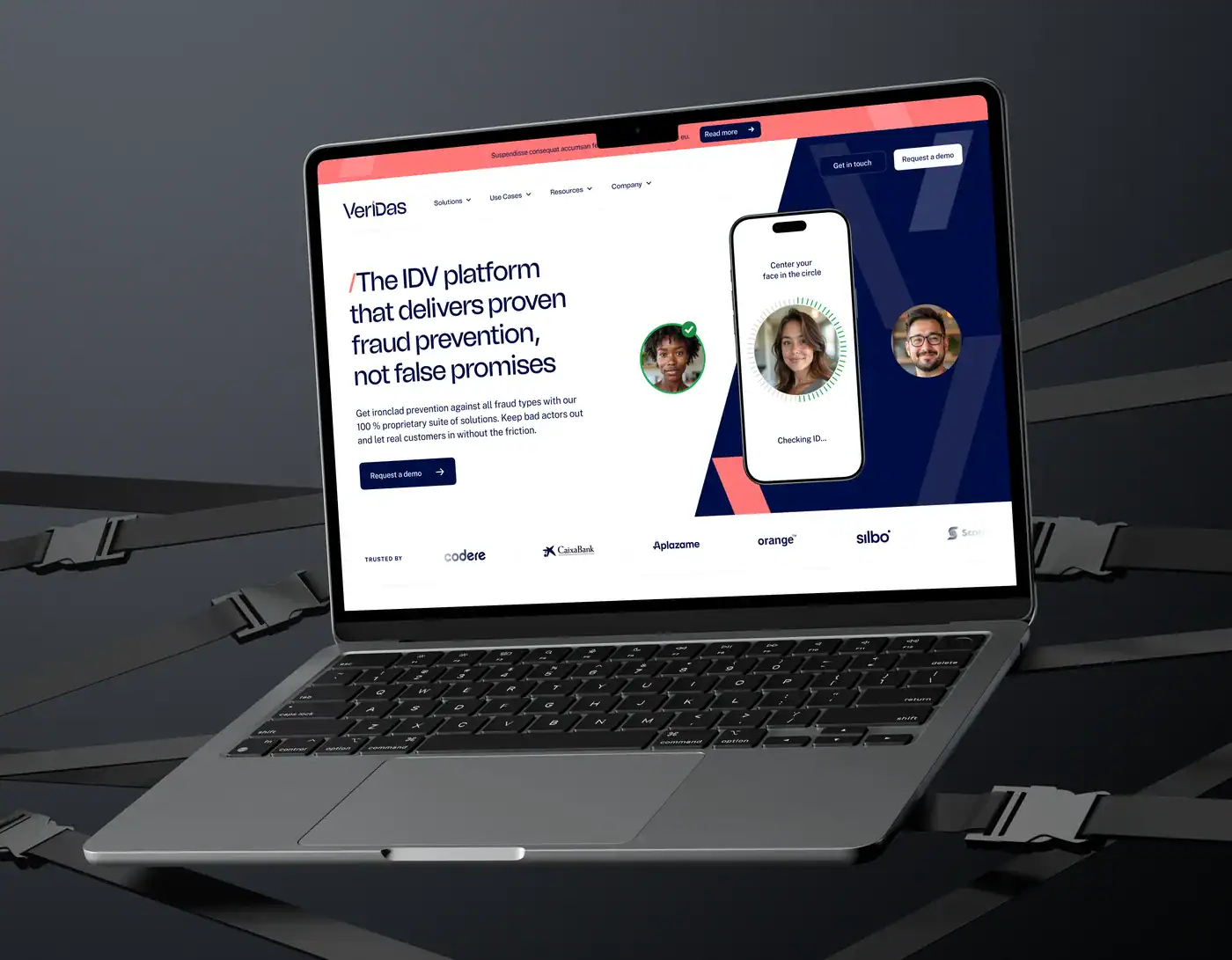
Languages in the Veridas website.

Sound familiar?

Your website creates work that keeps repeating.

Content work gets stuck in the handoffs

Briefs, drafts, formatting and CMS entry can pass through several people before a page is ready. We identify the repetitive steps AI can assist with and keep review and publishing responsibilities clear.

Every inquiry needs manual sorting

Someone has to read, categorize and route each submission before the right person can respond. We can use AI to organize the information and suggest a next step, with review rules for uncertain or sensitive cases.

Visitors ask the same questions

Useful answers may be spread across service pages, resources and support content. We can help visitors reach approved information through search or a website assistant, with a clear route to your team when an answer is missing.

How we help

Practical AI, connected to your website.

01

Workflow discovery and pilot

Choose a specific repetitive task, define what success means and test whether AI offers a useful improvement over simpler automation.

02

Content workflow assistance

Support briefing, drafting, formatting or CMS preparation using your content and rules, with an agreed review step before publication.

03

Inquiry qualification and routing

summarize submissions, suggest fit against agreed criteria and pass useful context into your CRM, with human review where needed.

04

Website assistants and answers

Build assistants around approved information, with clear boundaries, source links where appropriate and a route to human help.

05

AI and CMS integrations

Connect suitable AI tools to your CMS and existing workflows, using scoped access and controls around what they can change.

06

Evaluation and ongoing controls

Test realistic cases, review output quality and define logging, fallback behavior, usage limits and ownership after launch.

Selected work

Our AI workflow. And the connections behind automation.

Webgate website project by Webgate

#AI workflow #Webgate’s own website

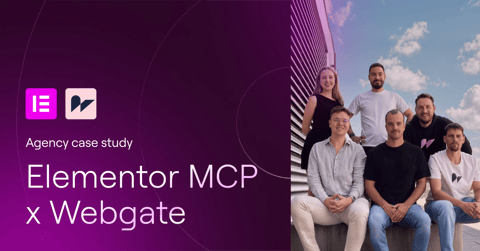
Our own AI-assisted Elementor workflow.

Webgate ↗
Internal delivery workflow

Platform / tools

WordPress, Elementor, MCP

What we did

AI-assisted website editing with human review

Project highlights

AI tools connected to an editable Elementor workflow.
Human review and browser checks remain part of delivery.
Our experience documented on Webgate and the Elementor blog.

Vacuumlabs website shown on a laptop

#Integrations #Marketing workflows

Connected marketing tools at Vacuumlabs.

Platform / tools

WordPress, Elementor

What we did

Website improvements, integrations and support

Project highlights

CRM and recruitment tools connected to the website.
Ongoing support for the marketing team.

Socksfor1 website project by Webgate

#Custom development #API integration

A custom website connected to creator content.

Platform / tools

React, Gatsby, Contentful

What we did

Custom website design and development

Project highlights

Contentful connected for content editing.
YouTube API integration.
Custom design and lead-generation strategy.

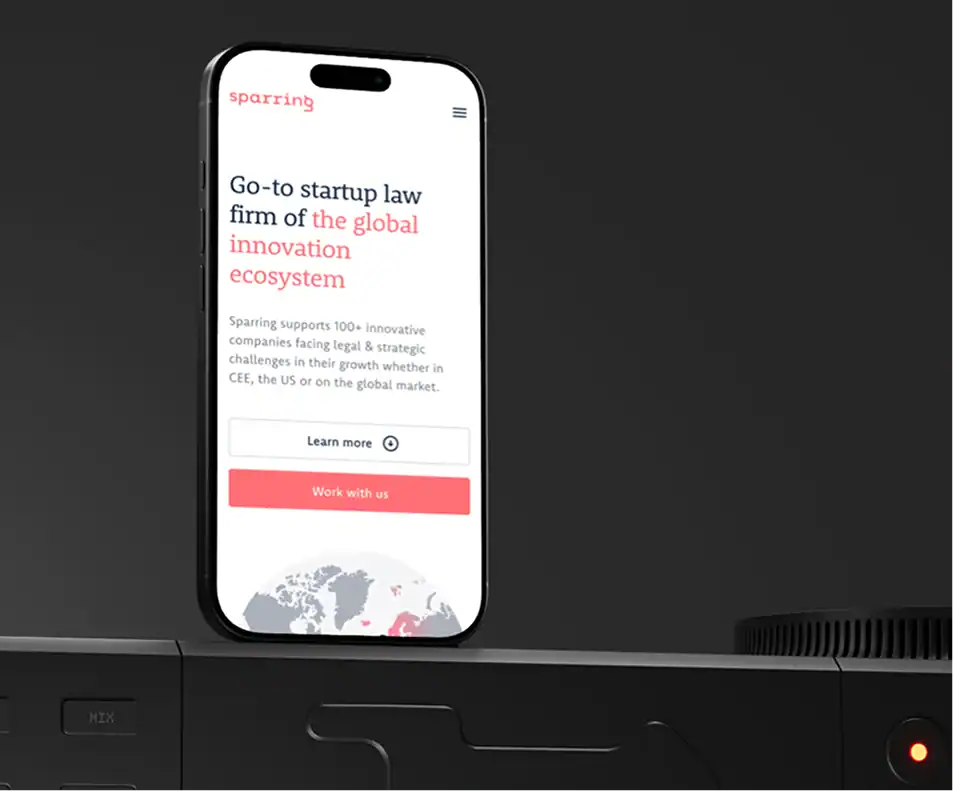
Sparring website project by Webgate

#Custom functionality #Integrations

A custom calculator and connected marketing tools.

Sparring ↗
Legal services

Platform / tools

WordPress, Mailchimp

What we did

Development, analytics setup and ongoing care

Project highlights

Custom pricing calculator.
Mailchimp integration.
Ongoing marketing website support.

Powerful Medical website project by Webgate

#CMS migration #CRM integration

A more manageable website with connected lead capture.

Platform / tools

WordPress, Elementor, HubSpot

What we did

CMS migration, responsive design and integrations

Project highlights

Marketing website moved to WordPress.
Mobile-first design and performance improvements.
Custom HubSpot forms connected to the CRM.

SuperScale website project by Webgate

#Website migration #Integrations

A new WordPress website with connected business tools.

SuperScale ↗
Gaming technology

Platform / tools

WordPress, Workable, Salesforce

What we did

Redesign, migration and integrations

Project highlights

Existing website resources migrated.
Workable connected to website job listings.
Salesforce connected to forms and newsletters.

Tell us what your website needs next.

Let’s talk ↗

What this means for your team

Give automation a clear job and clear boundaries.

Reduce repetitive steps

Focus on tasks that recur often enough to justify automation, with a defined start, output and owner.

Keep people in control

Set review points and permissions around the actions that need human judgment, especially publishing and important customer responses.

Use your existing knowledge

Ground suitable workflows in approved content and business rules, with a process for keeping that information current.

Start small and learn

Test one useful workflow before expanding, so implementation decisions are based on observed quality and practical value.

Make uncertain cases visible

Provide fallbacks and escalation routes when information is missing or an automated result needs someone to check it.

Know what it takes to run

Understand the tools, usage costs, maintenance and monitoring involved, so the workflow has an owner beyond the initial build.

Inside our AI website automation process

From one repetitive task
to a workflow your team can trust.

Workflow discovery

01

Choose a useful problem to solve first.

We examine one recurring website task and the work it creates for your team. Together, we decide whether AI is appropriate, what a useful result looks like and which decisions should stay with people.

Key steps

  • Current steps and manual effort

  • Frequency, volume and recurring problems

  • AI versus standard automation fit

  • Success criteria and human ownership

Deliverables

Workflow brief Success criteria Pilot scope

Knowledge and rules

02

Give the workflow the right information.

We identify the content, data and business rules the workflow needs. Approved sources, permissions and review points are defined before building, so the system has a clear task and boundaries your team understands.

Key steps

  • Approved content and data sources

  • Business rules and output requirements

  • Access and data-sharing limits

  • Review points and fallback behavior

Deliverables

Source inventory Workflow rules Review plan

Pilot and evaluation

03

Test the idea before expanding it.

We build a small pilot around representative examples and compare its output with the agreed criteria. Your team reviews quality, usefulness and correction effort, giving us evidence for whether the workflow is worth taking further.

Key steps

  • Representative examples and test cases

  • Prototype workflow or assistant

  • Output quality and review effort

  • Failure cases and pilot feedback

Deliverables

Working pilot Evaluation findings Next-step decision

Build and connections

04

Fit the workflow into your existing tools.

Once the pilot is useful, we connect it to the website, CMS or CRM within the agreed scope. Permissions, approvals and logging are built into the workflow so automated steps have clear limits and ownership.

Key steps

  • Website, CMS or CRM connections

  • Prompts, rules and output handling

  • Scoped access and approval steps

  • Logging, usage limits and alerts

Deliverables

Connected workflow Approval controls Operating documentation

Testing and safeguards

05

Check how it behaves when things go wrong.

We test normal, unclear and unexpected inputs, including attempts to push the workflow beyond its task. The aim is to find weak points before release and confirm that fallbacks and human review work as intended.

Key steps

  • Accuracy and relevance checks

  • Missing or conflicting information

  • Unauthorized requests and unexpected inputs

  • Fallbacks, permissions and escalation

Deliverables

Evaluation results Tested safeguards Release checklist

Rollout and review

06

Launch with a clear owner and room to improve.

We introduce the workflow in a controlled way and show your team how to supervise it. Quality, review effort and running costs are monitored through the agreed period before deciding what to refine or expand.

Key steps

  • Controlled launch and team training

  • Output quality and exception review

  • Usage costs and effort comparison

  • Content updates and ongoing ownership

Deliverables

Live workflow Team handover Review plan

Which website task would you like off your plate?

Bring us one repetitive workflow. We’ll help you assess it and define a practical first step.

Explore an AI workflow ↗

Testimonials

Every company should have the
right website partner
.

Good questions

AI Website Automation: your questions, answered.

What can AI automate around a marketing website?

Suitable tasks can include preparing content drafts, summarizing inquiries, suggesting lead routing and helping visitors find approved information. We assess each workflow before recommending AI, because fixed rules or a standard integration may be simpler and more reliable.

Where have you used AI yourselves?

We use AI-assisted workflows on Webgate’s own website, including work with Elementor MCP and human review. That experience is documented on Webgate and the Elementor blog. It demonstrates our internal delivery workflow; other AI use cases are assessed individually.

Can you add an AI assistant to our existing website?

Potentially, depending on the website and the information available. We first define what the assistant should answer, which sources it can use and when it should hand over to a person. Testing and ongoing content ownership are part of the scope.

Will AI publish content or reply to visitors on its own?

Only where that behavior is deliberately agreed and suitable for the task. Content workflows can keep approval before publishing, while assistants can answer within defined limits. We set permissions, review points and fallbacks before enabling automated actions.

How do you reduce incorrect answers or actions?

We use approved source material, clear task boundaries and tests based on realistic situations. We also define what happens when the system is uncertain or fails. These controls reduce risk, but AI output still needs monitoring and appropriate human oversight.

What happens to our data?

We review which information the workflow needs, which providers would receive it and what access is required. Sensitive data should be excluded unless its use is deliberately assessed and agreed. Provider settings and retention are reviewed as part of the technical setup.

How do you price and measure an AI workflow?

We scope discovery, the pilot, implementation and any ongoing support separately. Tool subscriptions and model usage may add running costs. Success measures can include time spent per task, output quality and review effort, with no assumed saving before the pilot is evaluated.

How is AI automation different from a website integration?

An integration connects systems and follows defined rules. AI can add tasks such as interpreting an inquiry, summarizing content or drafting an answer. We combine them where useful and use simpler rule-based automation when it meets the need.