















Your Elementor site is ready for AI bots when the agents you want to serve can reach its public pages, extract accurate information, and complete the tasks you intend to support. Check access rules, readable content, page structure, structured data, and forms. Elementor’s Agent Ready tools can help identify gaps, but a readiness score cannot guarantee search rankings, citations, or enquiries.
For a B2B marketing team, the practical question is simple: if a buyer asks an AI assistant to evaluate your company, can it find the facts needed to give a useful answer?
A polished homepage may still leave that assistant unsure about your services, implementation process, supported integrations, or next step. Those gaps matter even when the site looks excellent on a screen.
This guide combines Elementor’s current guidance with Webgate’s experience building and maintaining WordPress websites. It gives you eight checks to discuss with your marketing team and developer. Product details were checked on November 13, 2026; confirm availability in your installed version before changing settings.
What does “ready for AI bots” actually mean?
An AI bot may retrieve a page to answer a question, collect content for a search service, or operate a browser on someone’s behalf. These activities have different technical requirements and access controls.
- SEO: helping relevant pages become discoverable and understandable in search.
- AEO and GEO: terms commonly used for work aimed at visibility and accurate representation in AI answers.
- Agent readiness: making the website’s information and intended interactions usable by automated visitors.
Treat these as connected goals with different tests. An assistant might read a page accurately when you give it the URL, yet never select that page in an open-ended search. A page might appear in an answer while its enquiry form remains difficult to use.
Elementor’s explanation of agent readiness distinguishes agents that fetch and interpret content from browser agents that navigate and interact with a page. Your audit should cover both when both matter to your customers.
What does Elementor Agent Ready add?
Elementor’s November 12 Agent Ready announcement describes a readiness scan and an Agent access screen in WordPress. The scan identifies failed checks and suggests fixes. Access features include bot preferences, a site guide in llms.txt, Markdown content, discovery files, and WebMCP tools.
The announcement lists read-only tools for business information, site search, site structure, and page content, plus WebMCP support for Atomic forms. Check the installed release and the availability of each module on your own site; features described in announcements and earlier beta documentation can differ.
Use the scan as a starting point for investigation. A missing file, an inaccurate service description, and a blocked contact page need different fixes. Record the failure, decide whether it affects a real customer task, make the change, and retest that task.

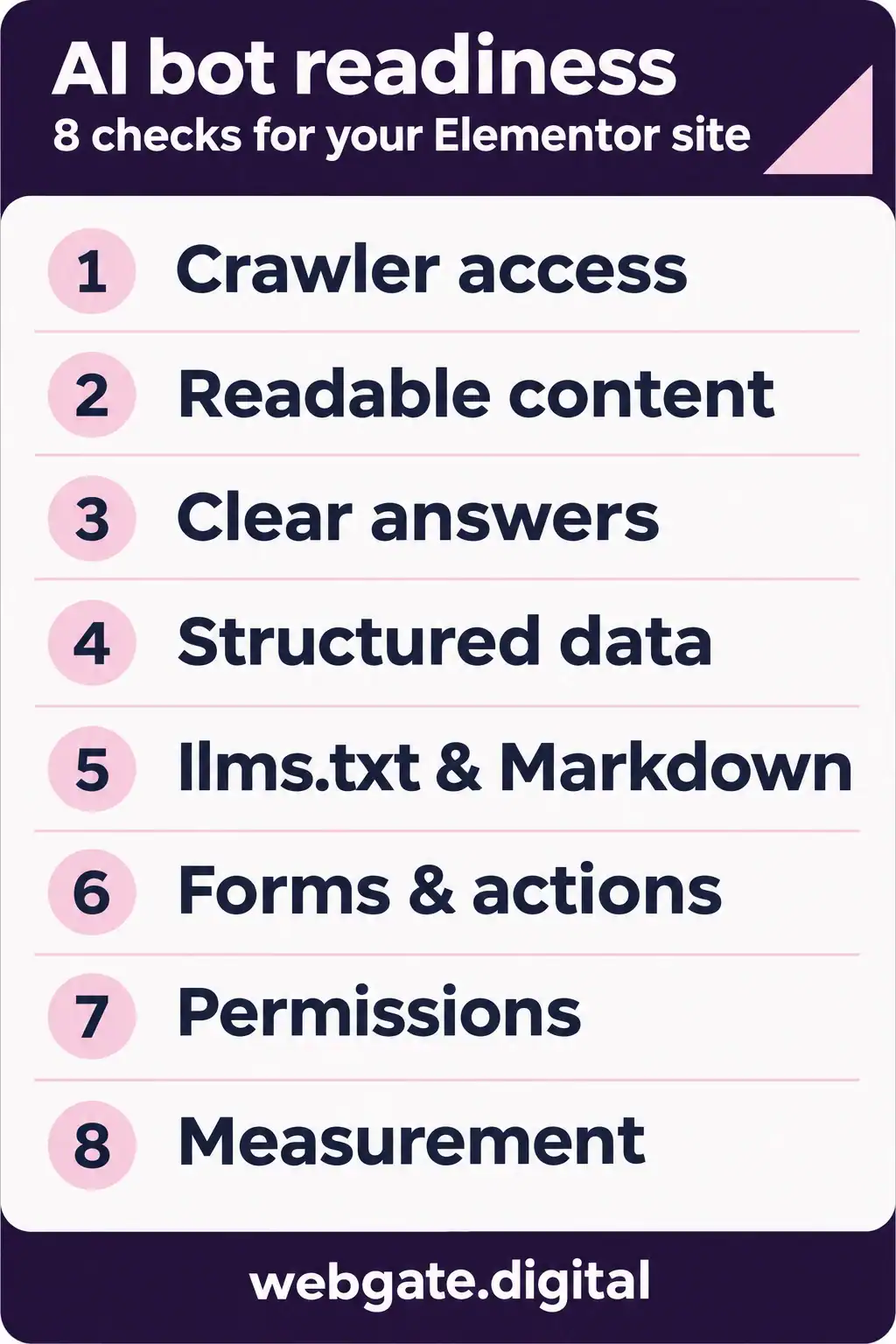
The eight checks at a glance
- 1. Can the right bots reach your public pages?
- 2. Can an agent extract your important content?
- 3. Do your pages answer real buying questions?
- 4. Does structured data match the visible page?
- 5. Are llms.txt and Markdown useful and accurate?
- 6. Can visitors and agents use the next step?
- 7. Are public access and editing permissions separate?
- 8. Are you measuring access, accuracy, and outcomes?
1. Can the right bots reach your public pages?
Start with access. Content improvements have limited value if the intended crawler receives an error, a login screen, or an anti-bot challenge.
Ask your developer to check the actual response for your homepage, a priority service page, a useful article, and your contact page. Review robots.txt, page-level indexing directives, redirects, and firewall rules together. A browser returning the page successfully is only one part of that check.
OpenAI separates search crawling from model training: OAI-SearchBot supports ChatGPT search, while GPTBot concerns content that may be used for training. ChatGPT-User handles certain user-triggered visits and is not the search crawler; robots.txt rules may not apply to those visits. The controls are independent. See OpenAI’s crawler documentation.
Choose access rules deliberately. Verify traffic using the provider’s published identification guidance, rather than trusting a user-agent label alone. Keep private pages protected through authentication.
Evidence to request: the tested URLs, response codes, relevant access rules, and any confirmed firewall challenges affecting intended visitors.
2. Can an agent extract your important content?
Check what a page communicates when its visual presentation is removed. The service name, main explanation, eligibility, pricing context, and next step should remain understandable.
In Elementor, use the heading widget’s HTML tag control to express the hierarchy. A large font does not make text a heading. Keep essential facts as real text, give meaningful images useful alternative text, and check the reading order of complex layouts.
Do not assume every agent processes JavaScript, tabs, sliders, or embedded tools in the same way. Test the content that is available in the initial HTML as well as the rendered page. If an integration contains the only explanation of an offer, add a concise explanation to the page itself.
Elementor’s SEO and indexing troubleshooting guidance is a useful starting point for visibility settings, indexing blocks, and plugin conflicts.
Evidence to request: a text extraction of a priority page, checked against the visible version. Can someone understand the offer from that text alone?
3. Do your pages answer real buying questions?
Write down what a potential customer needs to know before speaking with sales. Then check whether your site answers those questions clearly enough to cite.
- Who is this service for, and what problem does it solve?
- What is included, and what needs a separate scope?
- Which systems or platforms does it support?
- What affects cost and delivery time?
- What evidence supports the company’s claims?
- How does a buyer take the next step?
For example, “We create digital experiences” gives little help to someone comparing implementation partners. A more useful description names the service, customer, deliverables, and relevant constraints. Add specifics only when your team can stand behind them.
Answer a section’s question early, then explain the conditions and evidence. Use descriptive headings because they help readers navigate. Avoid inventing dozens of near-identical pages to target slight variations of the same question.
Webgate’s practical guide to generating Elementor pages with AI shows the value of explaining a process through concrete examples and review steps. Apply that level of specificity to your own expertise.
Evidence to request: five important customer questions mapped to the exact pages and passages that answer them.
4. Does structured data match the visible page?
Structured data labels facts in a machine-readable format. It should describe the page accurately and agree with what visitors can read.
For an article, review the headline, author, publication and modification dates, image, and canonical URL. For the business, check the organization name, website, and contact information. Use page types that fit the actual content.
Inspect the rendered page, not just the settings in an SEO plugin. A template may omit an author or date that exists in WordPress, while multiple plugins may output conflicting information. Structured data cannot compensate for missing explanations or unsupported claims.
Elementor’s review of what agents actually use also emphasizes keeping important facts in visible content rather than leaving them only in markup.
Evidence to request: valid structured data with no conflicting entities, plus a comparison against the visible page. Treat validation as a technical check, not proof of search inclusion.
5. Are llms.txt and Markdown useful and accurate?
llms.txt is an optional guide to a site’s useful content. Markdown offers a text-focused version of a page. Neither replaces a working website, clear content, or access controls.
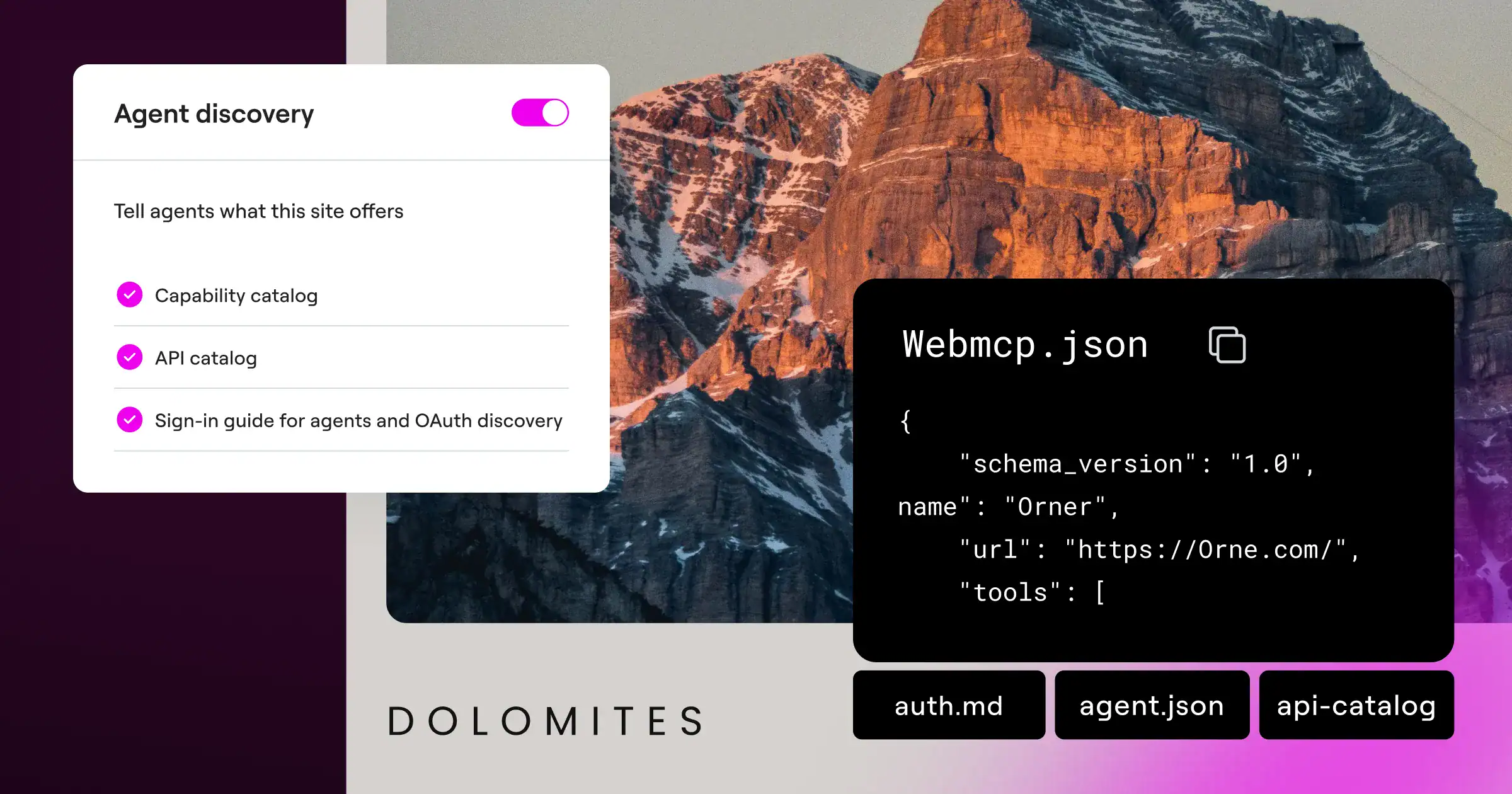
If you provide these formats, check that the guide links to current, public pages and that the extracted content preserves the facts a buyer needs. Review prices, qualifications, links, and content supplied through custom fields or shared templates. Assign someone to maintain the output when the source changes.
If the same URL can return HTML or Markdown, ask your developer to verify that the cache keeps the responses separate. Elementor discusses this implementation risk in its guide to agent-facing content formats.
There is a clear limit to the SEO claim: Google says it does not use llms.txt or special AI text files for Search, including its generative features. Maintaining them for other systems neither helps nor harms Google visibility. Useful agent access and Google ranking are different questions.
Evidence to request: a comparison of the normal page and its machine-readable version, including a check that removed or private content is excluded.
6. Can visitors and agents use the next step?
A buyer’s assistant may find the right service and still struggle with the contact journey. Review the action you actually want people to take.
- Give links and buttons descriptive labels.
- Use persistent form labels and clear required-field instructions.
- Make validation messages understandable and associated with the relevant field.
- Check keyboard access, mobile layouts, consent controls, and success states.
- Test embedded booking or CRM forms separately from the surrounding Elementor page.
WebMCP offers a further layer: a website can describe available actions to compatible browser agents. Elementor’s WebMCP overview explains that it remains experimental, with evolving browser and agent support. Registering a tool does not prove an agent will use it.
Our recommendation is to start with a useful read-only action, such as finding service information. Keep the ordinary interface usable and require an appropriate confirmation before an action sends an enquiry, makes a booking, or creates a financial commitment. Test submissions in a controlled environment with the relevant team’s agreement.
Evidence to request: a recorded task walkthrough, including validation and the expected result. Verify CRM delivery separately when a submission test is authorized.
7. Are public access and editing permissions separate?
An assistant reading your public website has a different role from an AI tool your team connects to edit it. Keep those access paths distinct.
Webgate uses Elementor MCP in an authorized publishing workflow. Our conversation with Elementor’s Roi Tal covers prompting, reusable components, debugging, and production examples. That workflow concerns how our team works on a site; it does not establish how external search systems rank or cite it.
For an internal editing connection, define which site, pages, and operations are in scope. Use suitable user permissions, preserve a recovery path, and review changes before publication. Public discovery files should expose only information and capabilities intended for visitors.
Evidence to request: a clear explanation of what public agents can read or do, and what requires an authenticated team account.
8. Are you measuring access, accuracy, and outcomes?
Use separate measures for separate questions. A scanner score, a bot visit, a citation, and a qualified enquiry each tell you something different.
- Access: can intended agents retrieve priority pages without errors or challenges?
- Accuracy: do retrieved answers reflect current services, facts, and limitations?
- Visibility: does the business appear in relevant search and AI-assisted research journeys?
- Action: can the intended user journey be completed?
- Business value: are useful visits and qualified enquiries increasing?
Keep a small, repeatable set of customer questions. Record the tool, date, prompt, returned answer, and cited pages. Test both a direct URL request and an open-ended discovery question. The first tests retrieval; the second also involves source selection.
AI answers vary between runs and products. Referrer data may miss visits, and answers that produce no click will not appear as website sessions. Combine these observations with search reporting and server logs instead of treating one answer or one analytics chart as the complete picture.
Evidence to request: a baseline and a repeatable review method, with limitations written next to the results.
What should your team fix first?
Prioritize work by the customer task it affects. A practical order is:
- First, restore access: fix unintended blocks, broken priority URLs, and unreliable responses.
- Next, correct the facts: clarify offers, update outdated information, and resolve missing headings or conflicting metadata.
- Then, verify the journey: check navigation, forms, integrations, and the page on mobile.
- Finally, test additional agent features: introduce content formats or tools where they solve a specific problem, then compare results.
This order reflects a recurring lesson from website delivery: settings, published content, and the experience a visitor receives can disagree. Give each issue an owner, a fix, and evidence that the live result changed.
You usually do not need to redesign the whole site to start. If a redesign is already planned, include these checks in the scope and acceptance criteria. Our guide to choosing a website redesign agency explains how to evaluate that responsibility.
Frequently asked questions
No. The platform can provide useful features, but readiness depends on the published content, access settings, templates, hosting, and integrations. Check representative pages and customer tasks on your own installation.
A readiness scan identifies technical gaps covered by its checks. It cannot establish that a search or answer system will select your business. Assess accurate retrieval, citations, and customer outcomes separately.
No. Google says its Search systems, including generative features, do not use llms.txt. You may maintain it for other services that use it, but it is not a Google ranking requirement. Read Google’s guidance.
For providers with separate controls, yes. OpenAI documents independent settings for OAI-SearchBot and GPTBot. Check each provider’s current rules and your firewall configuration; robots.txt is not a security boundary for private information.
No. Elementor MCP connects an authorized AI client to supported website operations. WebMCP describes tools to compatible agents in a visitor’s browser. Their access models and intended users differ.
Keep improving the foundations: useful content, discoverable pages, accurate information, and a usable website. Add tests for AI retrieval and agent journeys where customers use them. Google’s generative search guidance continues to emphasize established SEO practices.
Choose the homepage, one high-value service page, one supporting article, and the contact journey. Work through the eight checks, capture evidence, and fix the failures that prevent customers or their assistants from understanding and using the site.
Make your Elementor website easier to find, understand, and use
Bring your current URL and the questions your buyers ask before they contact you. Webgate can help review the technical barriers, content gaps, and customer journeys that deserve attention first.
Explore our SEO and AI search services or talk to Webgate about your Elementor website.